Purchases, sales and inventory
Record purchases and sales in one place and see stock levels move with every transaction.
Cloud ERP for businesses that manage stock
Manage purchasing, stock, sales and accounting in one place.
What you can do with Vendriko
Built for traders, distributors and manufacturers. From the purchase order to the bank receipt, every transaction updates your stock, your balances and your books.
Record purchases and sales in one place and see stock levels move with every transaction.
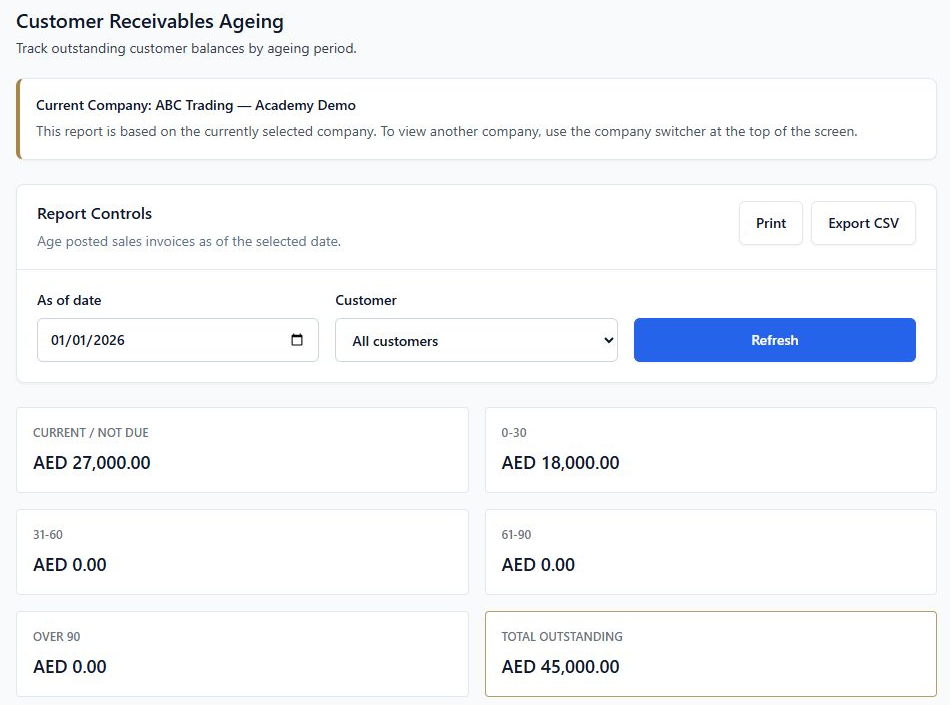
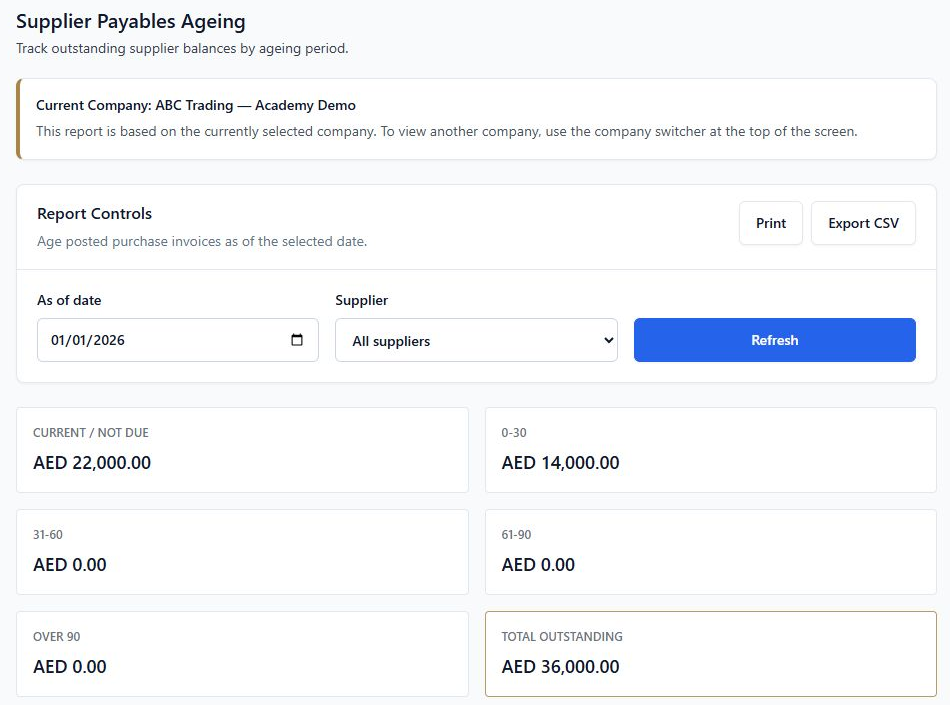
Track what each customer owes you and what you owe each supplier, so collections and payments are never a guess.
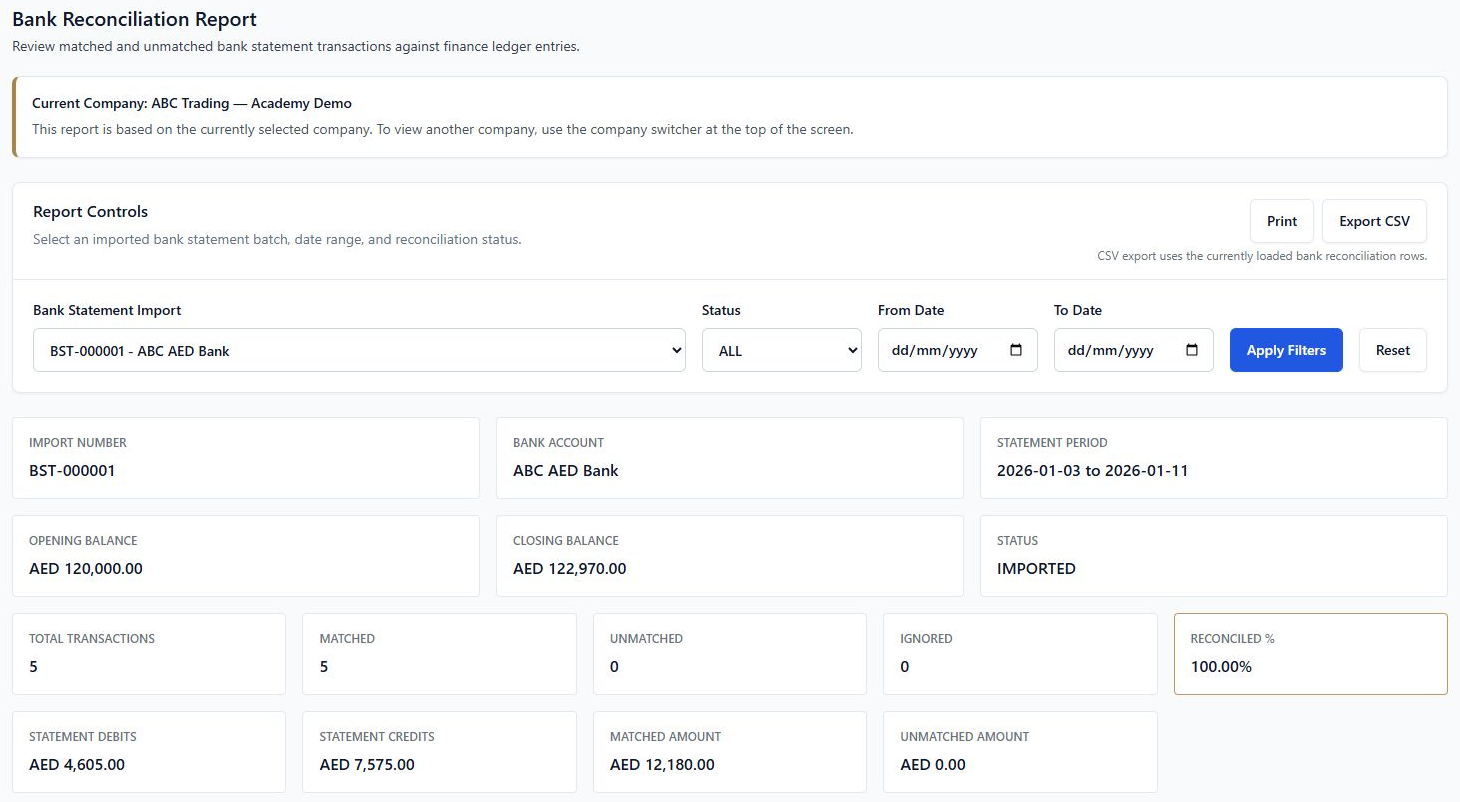
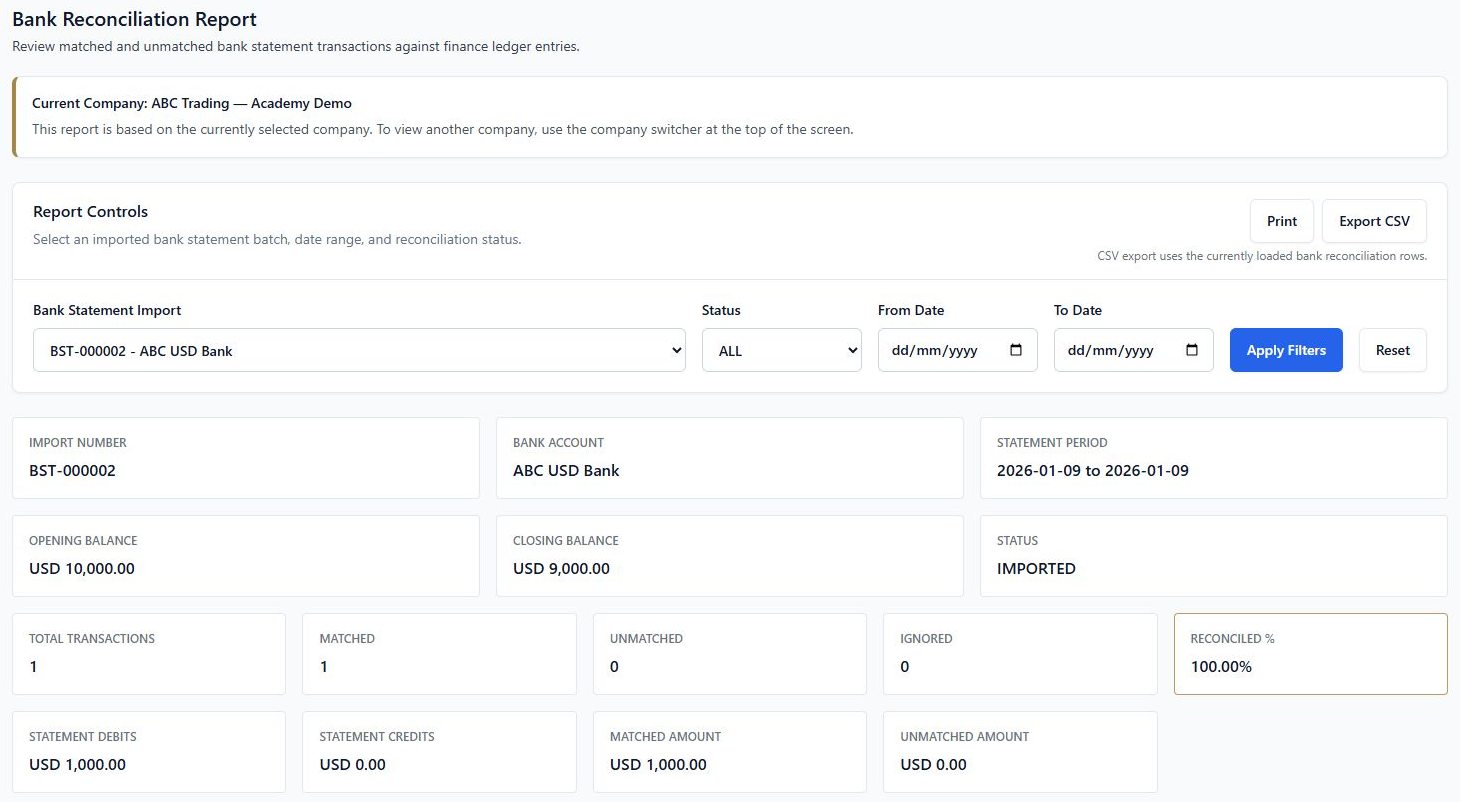
Match imported bank statement lines to your posted entries, account by account and in each account’s own currency. In the demo company, the AED account reconciles 5 of 5 lines and the USD account 1 of 1.
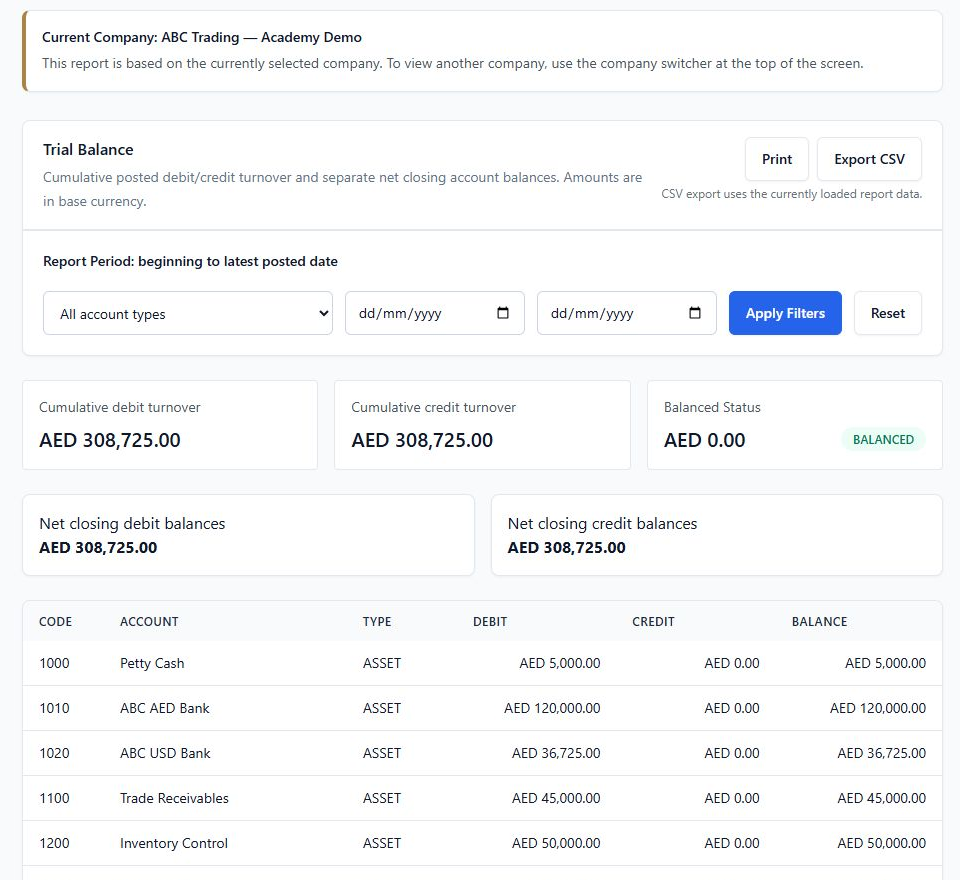
Review your trial balance, profit and loss, and balance sheet, built from the transactions you already record.
Start with your opening balances and learn each workflow through the ABC Trading Academy demo company.
Inside Vendriko
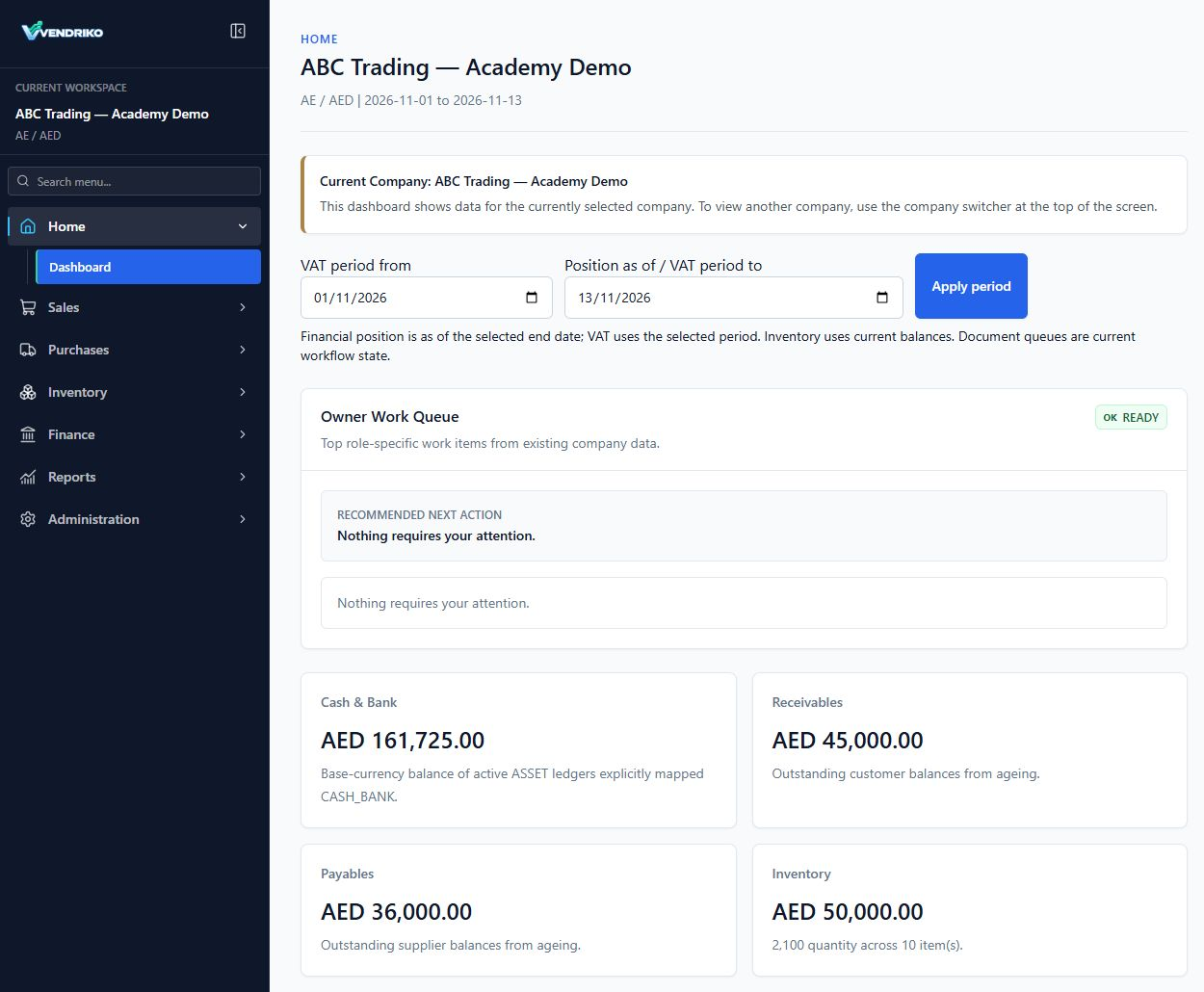
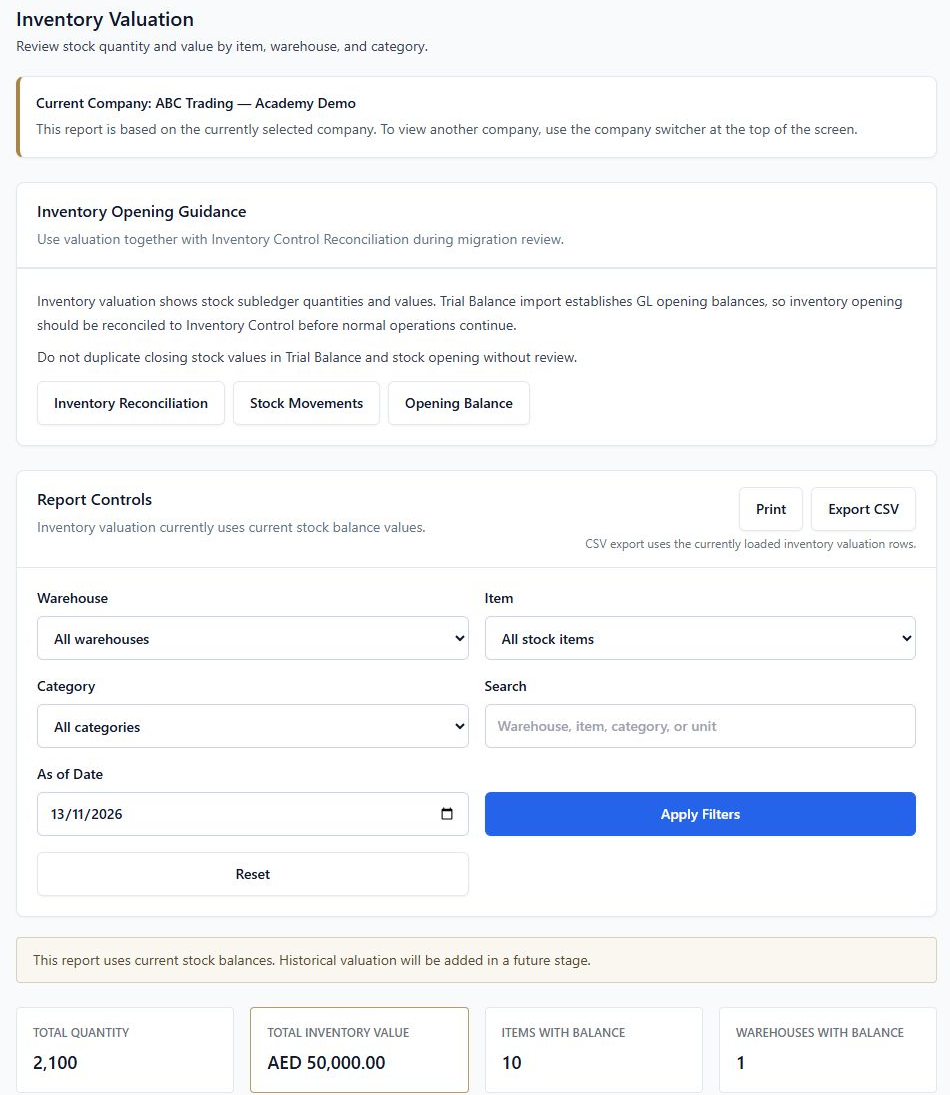
Screens from the ABC Trading Academy demo company. All figures are sample data. Select “View full screenshot” to read any report in full.
Getting started
Bring in your stock, customer and supplier balances, and bank positions as your starting point.
Practise purchases, sales, payments and reconciliations in a demo trading company before you use your own data.
Record transactions as they happen and review your statements whenever you need them.
We are testing a workflow for businesses that sell on Amazon UAE. It is designed to show whether each Amazon payout matches what actually reached your bank.
This is a pilot workflow under test. It is not yet a generally available feature.
Differences are flagged for review.
Coming next
These modules are being built and are not available yet.
Track leads, follow-ups and your sales pipeline.
Set business goals and follow them with KPI scorecards.
FAQ
Pricing depends on what your business needs. Book a demo and request a quote based on your requirements.
Onboarding starts with your opening balances: stock, customer and supplier balances, and bank positions. From there you record new transactions in Vendriko.
Hosting details can be discussed during the demo.
Yes. Tell us which GST invoicing and reporting workflows your business needs, and we’ll confirm what Vendriko supports during the demo.
Book a Demo
Tell us a little about your business. We’ll contact you to arrange a walkthrough focused on your workflow.
Prefer to message us?
Chat on WhatsApp (opens WhatsApp)Already a customer? ERP Login